
WD_RadioEdit_2.0
662E239715CB06EEAbout WD_RadioEdit_2.0
Car Radio For All by vajny and MUSIC RADIO IN VEHICLES 2.0 by MooLood Combined, interaction points adjusted to match radio positions accordingly, and radio additions for modded vehicles included.
Full Description
Car Radio For All by vajny and MUSIC RADIO IN VEHICLES 2.0 by MooLood Combined, interaction points adjusted to match radio positions accordingly, and radio additions for modded vehicles included.
View on WorkshopAdd to Server Config
Copy this JSON snippet and add it to the "mods" array in your server's config.json file:
{
  "modId": "662E239715CB06EE",
  "name": "WD_RadioEdit_2.0",
  "version": "1.0.2"
}
Need help? Check our Mod Installation Guide or use the Config Generator.
Related Mods
WD_HkG36 Improvements
Replaced sight picture and reticle for carryhandle sights. M203 Attachments with RIS available again.
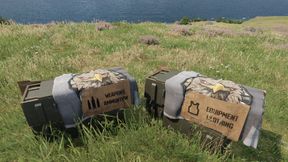
Sniper pack to US arsenal.
Added YobananaboY Sniper Pack weapons,mags, and scopes to the US arsenal
WD_Jams_RadioEdit
Music selection for WarhawkDivision servers, replacing base game radio broadcasts, and music broadcast radios added to AH1S Cobra Helo's.........Currently NOT Streaming Friendly
WD_DG_NatoPreferences
Started out as WD weapon preferences and turned into so much more!
WD_BETTER_AC130 CHINOOK 2.0
By popular request, newer and cleaner AC130 inspired Chinooks.
Frequently Asked Questions
How do I install WD_RadioEdit_2.0 on my server?
To install WD_RadioEdit_2.0, add its mod ID (662E239715CB06EE) to the "mods" array in your server's config.json file. The server will automatically download the mod from the Workshop when it starts.
Can I use WD_RadioEdit_2.0 on PS5 or Xbox?
Console compatibility depends on the mod. Check the Workshop page for WD_RadioEdit_2.0to see if it's marked as console-compatible. Some mods with custom scripts may only work on PC.
Does WD_RadioEdit_2.0 require other mods?
Check the mod's description above for any mentioned dependencies. Use our Mod Browser to search for and add any required dependencies to your config.