WD_DG_NatoPreferences
6506A1F6A55FBD1AAbout WD_DG_NatoPreferences
Started out as WD weapon preferences and turned into so much more!
Add to Server Config
Copy this JSON snippet and add it to the "mods" array in your server's config.json file:
{
  "modId": "6506A1F6A55FBD1A",
  "name": "WD_DG_NatoPreferences",
  "version": "1.1.34"
}
Need help? Check our Mod Installation Guide or use the Config Generator.
Related Mods
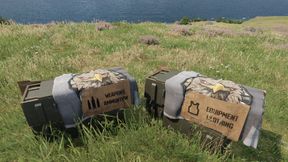
Sniper pack to US arsenal.
Added YobananaboY Sniper Pack weapons,mags, and scopes to the US arsenal
SR25 Suppressor FIX
Fixed suppressors to be attachable and functional again after base game suppressor update. Loved what the original creators were doing with this gun.
WD PISTOL FIXES & TWEAKS
Fixed Ghost9 to be properlly listed as a secondary weapon in arsenals and loadout editors. Fixed Glocks not appearing in loadout editors and allowed for use of sight attachments.
WD_Jams_RadioEdit
Music selection for WarhawkDivision servers, replacing base game radio broadcasts, and music broadcast radios added to AH1S Cobra Helo's.........Currently NOT Streaming Friendly
WD_BETTER_AC130 CHINOOK 2.0
By popular request, newer and cleaner AC130 inspired Chinooks.
WD_JAC Helmets Use NV Goggles
NVG's On pilot helmets
Frequently Asked Questions
How do I install WD_DG_NatoPreferences on my server?
To install WD_DG_NatoPreferences, add its mod ID (6506A1F6A55FBD1A) to the "mods" array in your server's config.json file. The server will automatically download the mod from the Workshop when it starts.
Can I use WD_DG_NatoPreferences on PS5 or Xbox?
Console compatibility depends on the mod. Check the Workshop page for WD_DG_NatoPreferencesto see if it's marked as console-compatible. Some mods with custom scripts may only work on PC.
Does WD_DG_NatoPreferences require other mods?
Check the mod's description above for any mentioned dependencies. Use our Mod Browser to search for and add any required dependencies to your config.