WD_Radio3
66F44C3BBB7A3D0BAbout WD_Radio3
Radio stations and playlists for WarHawk Division Servers
Add to Server Config
Copy this JSON snippet and add it to the "mods" array in your server's config.json file:
{
  "modId": "66F44C3BBB7A3D0B",
  "name": "WD_Radio3",
  "version": "1.0.12"
}
Need help? Check our Mod Installation Guide or use the Config Generator.
Related Mods
WD_BETTER_AC130 CHINOOK 2.0
By popular request, newer and cleaner AC130 inspired Chinooks.
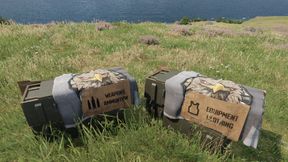
Sniper pack to US arsenal.
Added YobananaboY Sniper Pack weapons,mags, and scopes to the US arsenal
WD_Jams_RadioEdit
Music selection for WarhawkDivision servers, replacing base game radio broadcasts, and music broadcast radios added to AH1S Cobra Helo's.........Currently NOT Streaming Friendly
WD_DG_NatoPreferences
Started out as WD weapon preferences and turned into so much more!
WD_JAC Helmets Use NV Goggles
NVG's On pilot helmets
Frequently Asked Questions
How do I install WD_Radio3 on my server?
To install WD_Radio3, add its mod ID (66F44C3BBB7A3D0B) to the "mods" array in your server's config.json file. The server will automatically download the mod from the Workshop when it starts.
Can I use WD_Radio3 on PS5 or Xbox?
Console compatibility depends on the mod. Check the Workshop page for WD_Radio3to see if it's marked as console-compatible. Some mods with custom scripts may only work on PC.
Does WD_Radio3 require other mods?
Check the mod's description above for any mentioned dependencies. Use our Mod Browser to search for and add any required dependencies to your config.