
The Beer Keg - Conflict
614D315DEC1DA151About The Beer Keg - Conflict
The Beer Keg conflict overhaul.
Add to Server Config
Copy this JSON snippet and add it to the "mods" array in your server's config.json file:
{
  "modId": "614D315DEC1DA151",
  "name": "The Beer Keg - Conflict",
  "version": "1.0.0"
}
Need help? Check our Mod Installation Guide or use the Config Generator.
Related Mods

The Beer Keg - Conflict Iraq
Custom conflict mode for The Beer Keg servers.
The Beer Keg - Conflict Everon
Conflict on Everon tweaked by The Beer Keg.
The Beer Keg - Conflict Kunar
Conflict on Kunar Province tweaked by The Beer Keg. Original by TraceSnowOwl.
The Beer Keg - Name Tags
Improved name tags that show a player's rank and group. Visibility of name tags has also been increased from 50m to 100m.
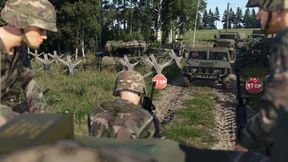
Conflict Enhanced
Enhanced version of the base Conflict Gamemode Added features: - Loadout selection in the respawn menu - Player position on the map - Unflip vehicule - Stamina bar - Vehicule control with opened map
DarkGru Conflict Changes
DARKGRU CONFLICT CHANGES | W.I.P Mod by: ArmADevGru https://discord.gg/ep4M6YXq www.armadevgru.com
Frequently Asked Questions
How do I install The Beer Keg - Conflict on my server?
To install The Beer Keg - Conflict, add its mod ID (614D315DEC1DA151) to the "mods" array in your server's config.json file. The server will automatically download the mod from the Workshop when it starts.
Can I use The Beer Keg - Conflict on PS5 or Xbox?
Console compatibility depends on the mod. Check the Workshop page for The Beer Keg - Conflictto see if it's marked as console-compatible. Some mods with custom scripts may only work on PC.
Does The Beer Keg - Conflict require other mods?
Check the mod's description above for any mentioned dependencies. Use our Mod Browser to search for and add any required dependencies to your config.