
Haydens GM WCS Loadout Editor
64FB5986C0AE1622About Haydens GM WCS Loadout Editor
Adds WCS Loadout Editor loadout saving to Game Master
Add to Server Config
Copy this JSON snippet and add it to the "mods" array in your server's config.json file:
{
  "modId": "64FB5986C0AE1622",
  "name": "Haydens GM WCS Loadout Editor",
  "version": "1.0.0"
}
Need help? Check our Mod Installation Guide or use the Config Generator.
Related Mods
Zeus - Mission Editor
This is a collection of changes to the GameMaster Mode to make Mission creation and playing faster and easier

NF PvE WCS loadout fix
Fixes the issue with WCS Loadout editor reporting "Not enough supplies" when attempting to load a loadout at the arsenal on PvE
RHS ION Default Loadout
The mod adds a default loadout and the ability to play as the ION faction from RHS: Status Quo to Game Master Scenarios

Ares PMC - RU Armbands
Adds red armbands from WCS_Armbands to all RHS AFRF soldiers
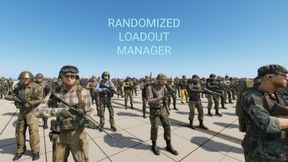
Randomized Loadout Manager
Randomized Loadout Manager Random loadouts and loot for players and Scav-like AIs/NPCs Utility for modders, does nothing by itself. Requires Workbench integration into scenario/game mode.
Frequently Asked Questions
How do I install Haydens GM WCS Loadout Editor on my server?
To install Haydens GM WCS Loadout Editor, add its mod ID (64FB5986C0AE1622) to the "mods" array in your server's config.json file. The server will automatically download the mod from the Workshop when it starts.
Can I use Haydens GM WCS Loadout Editor on PS5 or Xbox?
Console compatibility depends on the mod. Check the Workshop page for Haydens GM WCS Loadout Editorto see if it's marked as console-compatible. Some mods with custom scripts may only work on PC.
Does Haydens GM WCS Loadout Editor require other mods?
Check the mod's description above for any mentioned dependencies. Use our Mod Browser to search for and add any required dependencies to your config.