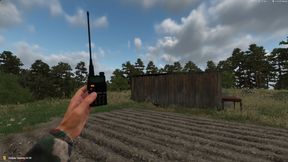
Baofeng UV-5R Radios
6588663191AE616AAbout Baofeng UV-5R Radios
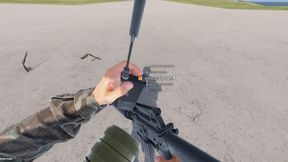
I present to you, the Baofeng UV-5R!
Add to Server Config
Copy this JSON snippet and add it to the "mods" array in your server's config.json file:
{
  "modId": "6588663191AE616A",
  "name": "Baofeng UV-5R Radios",
  "version": "1.0.0"
}
Need help? Check our Mod Installation Guide or use the Config Generator.
Related Mods
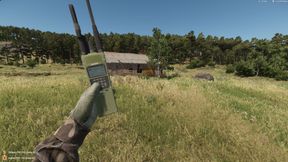
Milsim Radio Network
Radios initially set up for Task Force 195. This mod Is a work in progress. there will be some updates to follow.
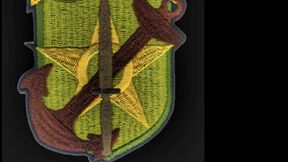
Task Force 195
Unit Patchs made for the Task Force 195 Server.
Better Radios
This modpack adds to create better and simple radios for the community to use.

GTG Groups and Radios
Ein Arma Reforger Mod, der automatisch vordefinierte Gruppen mit spezifischen Radio-Frequenzen erstellt.

ProtoMod Better Radios
Adds a new Controls category to set a keybind for 6 Short Range radio Channels and 6 Long range Radio channels
EE Radio Actions To GRS Radios
ALL CREDIT GOES TO EverElizaldeGaming FOR THE RADIO ACTIONS MOD AND GL1TCH AND THE GRS TEAM FOR THE FIRE RADIOS Discord: https://discord.gg/2EDkGpPPRH
Frequently Asked Questions
How do I install Baofeng UV-5R Radios on my server?
To install Baofeng UV-5R Radios, add its mod ID (6588663191AE616A) to the "mods" array in your server's config.json file. The server will automatically download the mod from the Workshop when it starts.
Can I use Baofeng UV-5R Radios on PS5 or Xbox?
Console compatibility depends on the mod. Check the Workshop page for Baofeng UV-5R Radiosto see if it's marked as console-compatible. Some mods with custom scripts may only work on PC.
Does Baofeng UV-5R Radios require other mods?
Check the mod's description above for any mentioned dependencies. Use our Mod Browser to search for and add any required dependencies to your config.