SR ServerCore
6882471A3F21C5C2About SR ServerCore
Version 1.0 of Steel Rain Server Core
Add to Server Config
Copy this JSON snippet and add it to the "mods" array in your server's config.json file:
{
  "modId": "6882471A3F21C5C2",
  "name": "SR ServerCore",
  "version": "1.0.0"
}
Need help? Check our Mod Installation Guide or use the Config Generator.
Related Mods

Fort Benning
Sand Hill area of Fort Benning, GA

NightOps DynamicSpawnFramework
It does spawn and despawn on player contact just with hierarchie no naming

NightOps-DynamicTaskFramework
It does handle all the tasks as well as triggers to Create - Fail - Assign - Complete a task

Zeliks Character
Released under (APL-ND) meaning NO DERIVATIVES Mod is to be used as a dependency, no altering of core files.
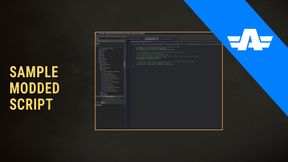
Sample Mod - Modded Script
Example of modifying an existing script
Frequently Asked Questions
How do I install SR ServerCore on my server?
To install SR ServerCore, add its mod ID (6882471A3F21C5C2) to the "mods" array in your server's config.json file. The server will automatically download the mod from the Workshop when it starts.
Can I use SR ServerCore on PS5 or Xbox?
Console compatibility depends on the mod. Check the Workshop page for SR ServerCoreto see if it's marked as console-compatible. Some mods with custom scripts may only work on PC.
Does SR ServerCore require other mods?
Check the mod's description above for any mentioned dependencies. Use our Mod Browser to search for and add any required dependencies to your config.