SpawnRadio
65E564EE252580A9About SpawnRadio
A backpack where others can spawn on
Add to Server Config
Copy this JSON snippet and add it to the "mods" array in your server's config.json file:
{
  "modId": "65E564EE252580A9",
  "name": "SpawnRadio",
  "version": "1.0.2"
}
Need help? Check our Mod Installation Guide or use the Config Generator.
Related Mods
Custom Equipment Catalog
Custom Entity Catalog for AD community
CTI KDII 2.0 - Novka tweaked
This is CTI KDII 2.0 - Novka by KingDaddyBoyz with some tweaks for the Armadudes communities. All credits for the scenrio
ConflictPVERemixedTweak
This is Conflict - Kolguyev PVE from ConflictPVERemixedVanilla2.0 by Gramps303. All credits to Gramps303 This is just a tweak for the AD community to allow faction change at runtime.

AD COE2 Everon v2
This is COE2 Eden by Kexanone with some minor additions for the Armadudes Community. All credits to Kexanone for creating this scenario
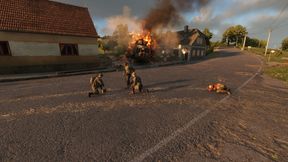
Combat Ops Plus
Combat Ops Everon with some additions

CombatOps DeadEveron Survival
Combat Ops Dead Everon without Arsenals at deployment
Frequently Asked Questions
How do I install SpawnRadio on my server?
To install SpawnRadio, add its mod ID (65E564EE252580A9) to the "mods" array in your server's config.json file. The server will automatically download the mod from the Workshop when it starts.
Can I use SpawnRadio on PS5 or Xbox?
Console compatibility depends on the mod. Check the Workshop page for SpawnRadioto see if it's marked as console-compatible. Some mods with custom scripts may only work on PC.
Does SpawnRadio require other mods?
Check the mod's description above for any mentioned dependencies. Use our Mod Browser to search for and add any required dependencies to your config.