Robs Mission 2
5985067619CBD139About Robs Mission 2
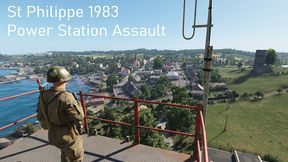
StPhillipe 1983 Power Station Assault take and hold the Power Station South West of Town.
Full Description
StPhillipe 1983 Power Station Assault take and hold the Power Station South West of Town.
View on WorkshopAdd to Server Config
Copy this JSON snippet and add it to the "mods" array in your server's config.json file:
{
  "modId": "5985067619CBD139",
  "name": "Robs Mission 2",
  "version": "1.0.0"
}
Need help? Check our Mod Installation Guide or use the Config Generator.
Related Mods
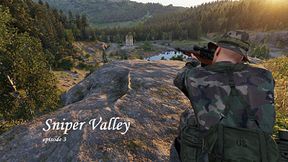
EdenSniperStoriesE3
It's 1983 and the US military has Intel that the Russian forces on Eden are working on a secret weapon that could turn the cold war in their favor. We need to find out what that weapon is. You are sent to Eden to scout out the area and get Intel on this mysterious weapon. There will be no reinforcements on your own. Task: Get across the valley to the old castle tower kill any enemy's thier so we can set up for our next mission.
VERNON Town Assault
COOP / SP HARDCORE VERNON ASSAULT
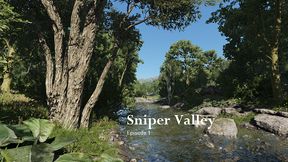
Eden Sniper Stories E1
AI now active Follow the river upstream to the castle tower and find the UAZ that's parked close by to get to the next AO. Avoid enemy contact at all cost if not you better bring lots of ammo.
CoOp Mission
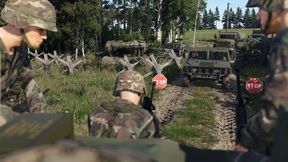
Attack the Russian ocupied city near the industrial zone.Leave no survivors

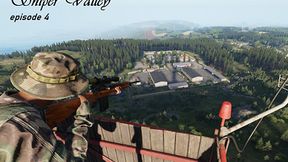
Eden Sniper Stories E4
Task: Get a good vantage point that overlooks the base and cover the attack. Help them clear out any enemies left in the base.
Frequently Asked Questions
How do I install Robs Mission 2 on my server?
To install Robs Mission 2, add its mod ID (5985067619CBD139) to the "mods" array in your server's config.json file. The server will automatically download the mod from the Workshop when it starts.
Can I use Robs Mission 2 on PS5 or Xbox?
Console compatibility depends on the mod. Check the Workshop page for Robs Mission 2to see if it's marked as console-compatible. Some mods with custom scripts may only work on PC.
Does Robs Mission 2 require other mods?
Check the mod's description above for any mentioned dependencies. Use our Mod Browser to search for and add any required dependencies to your config.