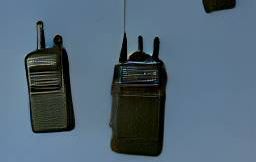
RespawnRadio
598F37A3EF345F1CAbout RespawnRadio
Keeps player radios on after respawn and tuned to their previously set frequency, or defaulted to the group frequency.
Full Description
Keeps player radios on after respawn and tuned to their previously set frequency, or defaulted to the group frequency.
View on WorkshopAdd to Server Config
Copy this JSON snippet and add it to the "mods" array in your server's config.json file:
{
  "modId": "598F37A3EF345F1C",
  "name": "RespawnRadio",
  "version": "0.1.4"
}
Need help? Check our Mod Installation Guide or use the Config Generator.
Related Mods

BSK_Armaments
Various tweaks to WCS_Armaments for co-op PVE conflict
Core_LivingQuarters_Fix
Re-adds Living Quarters to the WCS mods
BSK_Interface
[IN DEVELOPMENT] Fixes friendly AI name tags to show proper group name
BSK_Arsenal
Various tweaks to WCS_Arsenal for co-op PVE conflict

RHS - Status Quo
RHS on Arma Reforger See https://forums.bohemia.net/forums/topic/239698-rhs-status-quo/ for more details
Frequently Asked Questions
How do I install RespawnRadio on my server?
To install RespawnRadio, add its mod ID (598F37A3EF345F1C) to the "mods" array in your server's config.json file. The server will automatically download the mod from the Workshop when it starts.
Can I use RespawnRadio on PS5 or Xbox?
Console compatibility depends on the mod. Check the Workshop page for RespawnRadioto see if it's marked as console-compatible. Some mods with custom scripts may only work on PC.
Does RespawnRadio require other mods?
Check the mod's description above for any mentioned dependencies. Use our Mod Browser to search for and add any required dependencies to your config.