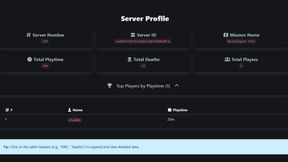
Persistent Player Profiles
664E179167426778About Persistent Player Profiles
Persistent Player Profiles tracks and displays player stats for Arma Reforger servers with a modern web interface and Discord bot integration.
Full Description
Persistent Player Profiles tracks and displays player stats for Arma Reforger servers with a modern web interface and Discord bot integration.
View on WorkshopAdd to Server Config
Copy this JSON snippet and add it to the "mods" array in your server's config.json file:
{
  "modId": "664E179167426778",
  "name": "Persistent Player Profiles",
  "version": "1.7.5"
}
Need help? Check our Mod Installation Guide or use the Config Generator.
Related Mods
Player Stats in Chat
Persisting player & server stats (kills, deaths) on server. Commands: #stats, #statsall. Support: https://flabby.dev/discord
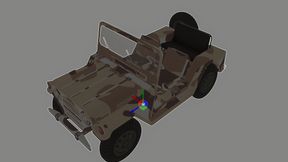
Vehicle Retexture Example
Example of retexture vehicle.
Custom Player Names CSI COMPAT
COMPAT FOR CUSTOM PLAYER NAMES AND ROLES TO WORK WITH COALITION SQUAD INTERFACE
Custom Colored Roles by flabby
Prefixes to player messages for easy ID. Roles are stored and auto-applied, enhancing communication and clarity.
Logging Enhanced by flabby
Take control of your server’s data like never before with Enhance Logging, a powerful, customizable logging system designed to elevate your server management experience.

Earplugs by flabby
Earplugs for Arma Reforger, provides a way to control sound levels in-game through a key-bind or chat command.
Frequently Asked Questions
How do I install Persistent Player Profiles on my server?
To install Persistent Player Profiles, add its mod ID (664E179167426778) to the "mods" array in your server's config.json file. The server will automatically download the mod from the Workshop when it starts.
Can I use Persistent Player Profiles on PS5 or Xbox?
Console compatibility depends on the mod. Check the Workshop page for Persistent Player Profilesto see if it's marked as console-compatible. Some mods with custom scripts may only work on PC.
Does Persistent Player Profiles require other mods?
Check the mod's description above for any mentioned dependencies. Use our Mod Browser to search for and add any required dependencies to your config.