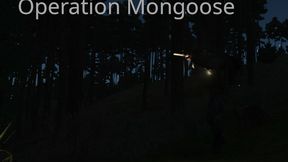
Operation Mongoose
6461142B6262EEACAbout Operation Mongoose
To prepare for an assault on the enemy-held island of Everon, you and your squad are dropped on the island at night. Regroup with your squad, and execute the objectives you have been given.
Full Description
To prepare for an assault on the enemy-held island of Everon, you and your squad are dropped on the island at night. Regroup with your squad, and execute the objectives you have been given.
View on WorkshopAdd to Server Config
Copy this JSON snippet and add it to the "mods" array in your server's config.json file:
{
  "modId": "6461142B6262EEAC",
  "name": "Operation Mongoose",
  "version": "1.0.12"
}
Need help? Check our Mod Installation Guide or use the Config Generator.
Related Mods
ReforgerCoopTutorialWhistleman
A coop mission i created following the tutorial of UselessFodder
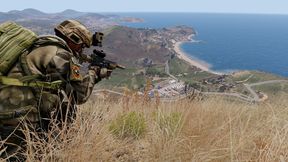


Operation Blue Light
A simple, linear test mission in the style of some of the classic Operation Flashpoint missions. Special Forces conduct recon activity in Everon.
Operation INFERNO 1985
WORK IN PROGRESS 5 Player COOP US forces have deployed to Everon due to increasing USSR activity in the mid-Atlantic ocean and recent paramilitary incursions on Malden. So far, there have been no incidents in the nine months of deployment - and troops are getting bored!

Operation Eagle
Find the soviet flag and capture it. A simple capture the flag like scenario.
Frequently Asked Questions
How do I install Operation Mongoose on my server?
To install Operation Mongoose, add its mod ID (6461142B6262EEAC) to the "mods" array in your server's config.json file. The server will automatically download the mod from the Workshop when it starts.
Can I use Operation Mongoose on PS5 or Xbox?
Console compatibility depends on the mod. Check the Workshop page for Operation Mongooseto see if it's marked as console-compatible. Some mods with custom scripts may only work on PC.
Does Operation Mongoose require other mods?
Check the mod's description above for any mentioned dependencies. Use our Mod Browser to search for and add any required dependencies to your config.