
NORTHCOM_Core
6570A1F5912F8810About NORTHCOM_Core
NORTHCOM Core, WIP.
Add to Server Config
Copy this JSON snippet and add it to the "mods" array in your server's config.json file:
{
  "modId": "6570A1F5912F8810",
  "name": "NORTHCOM_Core",
  "version": "1.0.21"
}
Need help? Check our Mod Installation Guide or use the Config Generator.
Related Mods
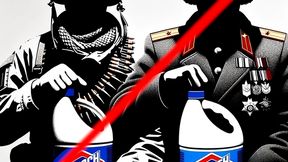
Debleached
Created to "debleach" the Vanilla Uniforms, removing the extreme shine eminating from the uniform, vests and helmets, boots and character faces. This should fix that and also adds in previously unused assets while remaining extremely lightweight. Created by northcom.lu
Cold War Flavours - US
(Sorry no screenshots - I'm lazy today) Adds various new uniforms for NORTHCOM's Invade & Annex for the US faction, i.e. Tigerstripe, DPM, Jigsaw, Flecktarn...
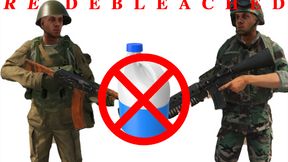
RE-Debleached
RE-DEBLEACHED is an updated version of the debleached mod, aiming to reduce the shine uniforms and certain objects have under some light conditions.
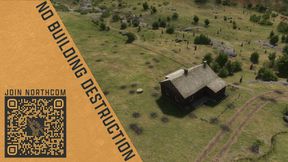
No Building Destruction
Prevents the destruction of any type of building, while still allowing for everything else to remain destructible, including windows inside buildings. Developed by Northgate for NORTHCOM, see QR.
Frequently Asked Questions
How do I install NORTHCOM_Core on my server?
To install NORTHCOM_Core, add its mod ID (6570A1F5912F8810) to the "mods" array in your server's config.json file. The server will automatically download the mod from the Workshop when it starts.
Can I use NORTHCOM_Core on PS5 or Xbox?
Console compatibility depends on the mod. Check the Workshop page for NORTHCOM_Coreto see if it's marked as console-compatible. Some mods with custom scripts may only work on PC.
Does NORTHCOM_Core require other mods?
Check the mod's description above for any mentioned dependencies. Use our Mod Browser to search for and add any required dependencies to your config.