Map Marker Copy Tool
687AB41829F884F8About Map Marker Copy Tool
A simple, lightweight tool to duplicate map markers via Middle Mouse Button or Radial Menu.
Full Description
A simple, lightweight tool to duplicate map markers via Middle Mouse Button or Radial Menu.
View on WorkshopAdd to Server Config
Copy this JSON snippet and add it to the "mods" array in your server's config.json file:
{
  "modId": "687AB41829F884F8",
  "name": "Map Marker Copy Tool",
  "version": "1.0.1"
}
Need help? Check our Mod Installation Guide or use the Config Generator.
Related Mods

AI Mortar Fire Support System
Smart AI Auto Mortar. Autonomously engages radio-spotted targets. Features realistic dispersion, dynamic prioritization.
gm snap to terrain tool
Quickly change settings for entity snaping and orienting to terrain via two buttons in GM.

Realistic Tripping Mechanic
Adds a realistic tripping mechanic to the game. Sprinting down steep slopes now carries a risk of losing balance, ragdolling, and tumbling down. Movement speed and terrain angle affect your stability.
Automatic Map Marker Deletion
Causes map markers to delete themselves automatically after a certain period of time.
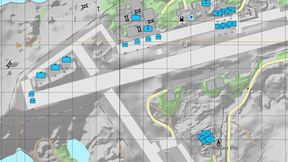
Sane Map Marker Defaults
- Increase Marker Limit to 100 - Disable Delete Restriction

Object Import Tool
Object Import Tool is a tool for World Editor that allows you to place objects on the map using CSV files.
Frequently Asked Questions
How do I install Map Marker Copy Tool on my server?
To install Map Marker Copy Tool, add its mod ID (687AB41829F884F8) to the "mods" array in your server's config.json file. The server will automatically download the mod from the Workshop when it starts.
Can I use Map Marker Copy Tool on PS5 or Xbox?
Console compatibility depends on the mod. Check the Workshop page for Map Marker Copy Toolto see if it's marked as console-compatible. Some mods with custom scripts may only work on PC.
Does Map Marker Copy Tool require other mods?
Check the mod's description above for any mentioned dependencies. Use our Mod Browser to search for and add any required dependencies to your config.