
Hard CRX default
630559A7092FCD95About Hard CRX default
Change CRX Enfusion AI default settings
Add to Server Config
Copy this JSON snippet and add it to the "mods" array in your server's config.json file:
{
  "modId": "630559A7092FCD95",
  "name": "Hard CRX default",
  "version": "0.0.3"
}
Need help? Check our Mod Installation Guide or use the Config Generator.
Related Mods
GrampSpawnsRHS
Overwrite spawner to use ION soldiers
GTG_Zimnitrita_Fix
Fixes JIP Error when connecting. Placed arsenal accessing items (like boxes and racks) caused this error.
GTG_Groups
Enhanced group management by controlling visibility, preventing attribute modifications, and streamlining group access for Gamemasters, while organizing groups by frequency for easier navigation.
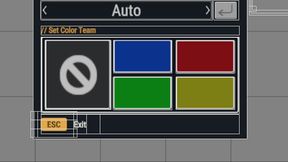
CSI Color Order
Change CSI Group Order so that it reflects the Country Flag Patches Order, i.e. Blue, Red, Green, Yellow

GTG_WBSaveGameLoad
Exports items to layer file
Frequently Asked Questions
How do I install Hard CRX default on my server?
To install Hard CRX default, add its mod ID (630559A7092FCD95) to the "mods" array in your server's config.json file. The server will automatically download the mod from the Workshop when it starts.
Can I use Hard CRX default on PS5 or Xbox?
Console compatibility depends on the mod. Check the Workshop page for Hard CRX defaultto see if it's marked as console-compatible. Some mods with custom scripts may only work on PC.
Does Hard CRX default require other mods?
Check the mod's description above for any mentioned dependencies. Use our Mod Browser to search for and add any required dependencies to your config.