GB on Radio
687F30864A99AA93About GB on Radio
Add a little more groove to the usual radio loops to your Everon FM!
Full Description
Add a little more groove to the usual radio loops to your Everon FM!
View on WorkshopAdd to Server Config
Copy this JSON snippet and add it to the "mods" array in your server's config.json file:
{
  "modId": "687F30864A99AA93",
  "name": "GB on Radio",
  "version": "1.0.0"
}
Need help? Check our Mod Installation Guide or use the Config Generator.
Related Mods
Pastas Radio Sounds
Small Mod to make talking on radios better adds a sqwark sound for when you start transmitting and adds a ending beep when the transmission ends
CN Gulf War PVE Radio Action
add AH64, MH60 to air overwatch
Everon Underground Radio
Adds a new radio station to the Project Sonar mod.
Action Heroes Radio Playlist
Hits from the '80s to bring about that deep-rooted anemoia while fitting the setting. NOTE: CURRENTLY THIS ONLY WORKS ON ARLAND AND EVERON UNTIL THE KOLGUYEV RADIO GETS FIXED BY THE DEVS!!!
More Radio Backpack Tickets
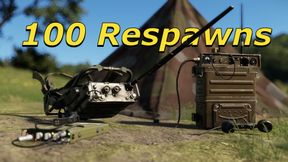
Changes the radio backpack respawn ticket count from 3 to 100. Backpack spawns for all 3 factions are changed. (USA, USSR, FIA) Also changed deployable tent respawn count in Combat Ops Everon to 100.
Frequently Asked Questions
How do I install GB on Radio on my server?
To install GB on Radio, add its mod ID (687F30864A99AA93) to the "mods" array in your server's config.json file. The server will automatically download the mod from the Workshop when it starts.
Can I use GB on Radio on PS5 or Xbox?
Console compatibility depends on the mod. Check the Workshop page for GB on Radioto see if it's marked as console-compatible. Some mods with custom scripts may only work on PC.
Does GB on Radio require other mods?
Check the mod's description above for any mentioned dependencies. Use our Mod Browser to search for and add any required dependencies to your config.