BUSHWAR Character Accessories
67081CAE7369EE56About BUSHWAR Character Accessories
This override and adds beards and hair by V-Ist, and Malvian Bushwar Bandanas to the Arsenal.
Full Description
This override and adds beards and hair by V-Ist, and Malvian Bushwar Bandanas to the Arsenal.
View on WorkshopAdd to Server Config
Copy this JSON snippet and add it to the "mods" array in your server's config.json file:
{
  "modId": "67081CAE7369EE56",
  "name": "BUSHWAR Character Accessories",
  "version": "1.0.1"
}
Need help? Check our Mod Installation Guide or use the Config Generator.
Related Mods
BUSHWAR - Prefabs Replacer
trying to replace vanilla prefabs with more Rhodesian vibe.
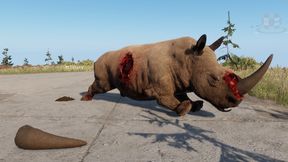
BUSHWAR Anti-Poaching
This adds a Poached Rhino, Rhino Horn and **** for tracking purposes of Anti Poaching.
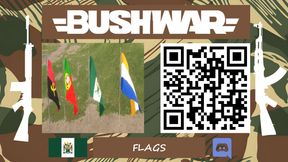
BUSHWAR Assets - Flags
Adds several flags of the time frame.
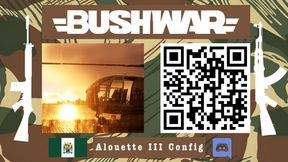
BUSHWAR - Alouette III Config
This creates a config for the Alouette IIIs made by Desmond, We are super grateful for his work on this and allowing us to continue modifying in the direction of completetion.
BUSHWAR Bunkers
Adds Springboks Bunkers and Fence to Arma Reforger. Much thanks to Spring for the models and all the work to help the BUSHWAR Community.
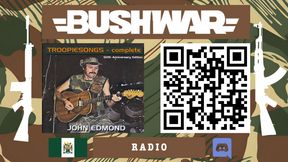
BUSHWAR Radio
This is the Radio Station for the BUSHWAR server, featuring Troopiesongs, Authentic Road Traffic reports and news broadcasting during the Bushwars.
Frequently Asked Questions
How do I install BUSHWAR Character Accessories on my server?
To install BUSHWAR Character Accessories, add its mod ID (67081CAE7369EE56) to the "mods" array in your server's config.json file. The server will automatically download the mod from the Workshop when it starts.
Can I use BUSHWAR Character Accessories on PS5 or Xbox?
Console compatibility depends on the mod. Check the Workshop page for BUSHWAR Character Accessoriesto see if it's marked as console-compatible. Some mods with custom scripts may only work on PC.
Does BUSHWAR Character Accessories require other mods?
Check the mod's description above for any mentioned dependencies. Use our Mod Browser to search for and add any required dependencies to your config.