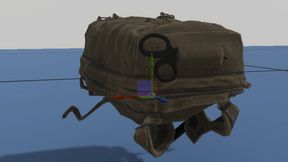
BM - Texturess - MS Backpacks
66BF1A0D76E2162BAbout BM - Texturess - MS Backpacks
Custom Coyote Brown textures to Misfits Delta & Radio backpacks. Big thanks to Zuetlau for permission to do make this addition
Full Description
Custom Coyote Brown textures to Misfits Delta & Radio backpacks. Big thanks to Zuetlau for permission to do make this addition
View on WorkshopAdd to Server Config
Copy this JSON snippet and add it to the "mods" array in your server's config.json file:
{
  "modId": "66BF1A0D76E2162B",
  "name": "BM - Texturess - MS Backpacks",
  "version": "1.0.0"
}
Need help? Check our Mod Installation Guide or use the Config Generator.
Related Mods
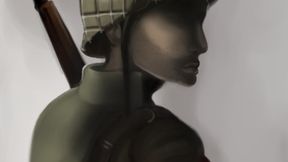
BM - COE2 - Alt Everon Base
Just a slight change to the starting location on everon. Moving into one the main hanger at the airfield Shoutout to Kex for the awesome scenario
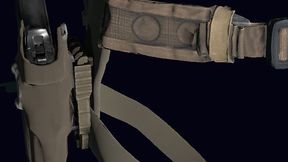
BM - Gear Tex Additions - GRS
Texture Additions for GRS Modular Belts & Bags All original works are from the GRS team. Additional textures have been added with the permission of Gl1tch. This is not an official release from GRS.
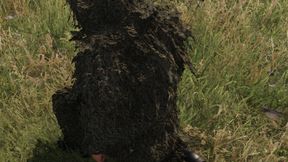
BM - Ghillie Textures - MS
Custom MARPAT texture to Misfits Ghillie Suits. Big thanks to Zuetlau for permission to do make this addition
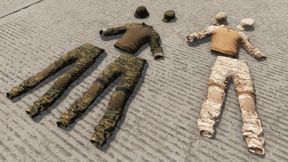
BM - Camo Additions - GRS
Camo Additions for GRS Apparel All original works are from the GRS team. Additional textures have been added with the permission of Gl1tch. This is not an official release from GRS.
Frequently Asked Questions
How do I install BM - Texturess - MS Backpacks on my server?
To install BM - Texturess - MS Backpacks, add its mod ID (66BF1A0D76E2162B) to the "mods" array in your server's config.json file. The server will automatically download the mod from the Workshop when it starts.
Can I use BM - Texturess - MS Backpacks on PS5 or Xbox?
Console compatibility depends on the mod. Check the Workshop page for BM - Texturess - MS Backpacksto see if it's marked as console-compatible. Some mods with custom scripts may only work on PC.
Does BM - Texturess - MS Backpacks require other mods?
Check the mod's description above for any mentioned dependencies. Use our Mod Browser to search for and add any required dependencies to your config.