
ARS VanillaPlus
65CE870C5886E857About ARS VanillaPlus
Script settings, balance and optimization, as well as mod compilation for the Vanilla setting. All this was made for Arma-Russian.ru servers!
Full Description
Script settings, balance and optimization, as well as mod compilation for the Vanilla setting. All this was made for Arma-Russian.ru servers!
View on WorkshopAdd to Server Config
Copy this JSON snippet and add it to the "mods" array in your server's config.json file:
{
  "modId": "65CE870C5886E857",
  "name": "ARS VanillaPlus",
  "version": "2.2.35"
}
Need help? Check our Mod Installation Guide or use the Config Generator.
Related Mods
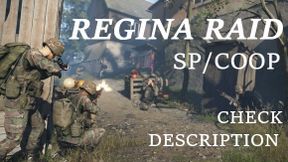
Regina Raid
US Forces aim to clear a town of soviet forces (double click to view briefing)
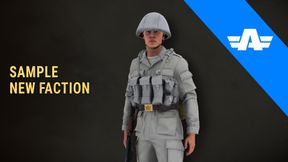
Sample Mod - New Faction
Example of a new faction
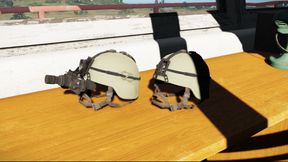

US Ranger Faction Replacement
Modern Ranger Faction Replacement - Replaces Default US Characters - Replaces Default US Groups
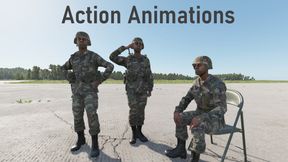
Bon Action Animations
This mod adds military gestures, dance animations and idle motions with a radial menu to select them (Or via Quick Animation Hotkeys!)
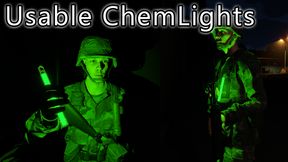
ChemLights - All Factions
This Mod adds ChemLights to all Faction Arsenals. Light up the night and mark tactical locations, or just have fun with these glowing sticks.
Frequently Asked Questions
How do I install ARS VanillaPlus on my server?
To install ARS VanillaPlus, add its mod ID (65CE870C5886E857) to the "mods" array in your server's config.json file. The server will automatically download the mod from the Workshop when it starts.
Can I use ARS VanillaPlus on PS5 or Xbox?
Console compatibility depends on the mod. Check the Workshop page for ARS VanillaPlusto see if it's marked as console-compatible. Some mods with custom scripts may only work on PC.
Does ARS VanillaPlus require other mods?
Check the mod's description above for any mentioned dependencies. Use our Mod Browser to search for and add any required dependencies to your config.