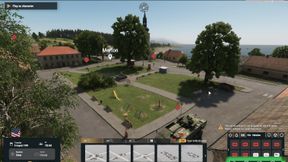
Ambient Spawn Config
64D72DC74D221A96About Ambient Spawn Config
Change enemies in Conflict PVE without dedicated scenario mods
Add to Server Config
Copy this JSON snippet and add it to the "mods" array in your server's config.json file:
{
  "modId": "64D72DC74D221A96",
  "name": "Ambient Spawn Config",
  "version": "1.0.5"
}
Need help? Check our Mod Installation Guide or use the Config Generator.
Related Mods

Game Master FX
Adds explosions, fire, parachute flare and smoke effects to Game Master

GM Persistent Loadouts
Persists Loadouts on Game Master Servers

Game Master Loadouts
Adds pre-existing loadouts to Game Master loadout menus

Game Master Safe Zones
Testing faction-based placeable safe zones
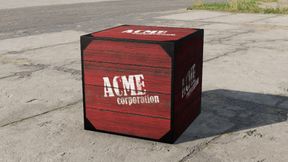
ACME Explosives Crate
Game Master-enabled ACME Explosives Crate, explodes when slightly damaged
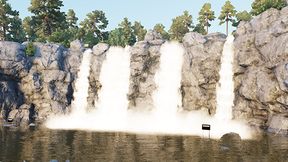
BaconParticles Waterfall Demo
Demo scenario for waterfall emitters
Frequently Asked Questions
How do I install Ambient Spawn Config on my server?
To install Ambient Spawn Config, add its mod ID (64D72DC74D221A96) to the "mods" array in your server's config.json file. The server will automatically download the mod from the Workshop when it starts.
Can I use Ambient Spawn Config on PS5 or Xbox?
Console compatibility depends on the mod. Check the Workshop page for Ambient Spawn Configto see if it's marked as console-compatible. Some mods with custom scripts may only work on PC.
Does Ambient Spawn Config require other mods?
Check the mod's description above for any mentioned dependencies. Use our Mod Browser to search for and add any required dependencies to your config.