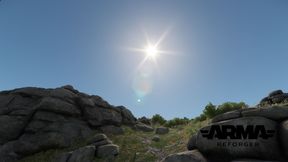
Always Sunny
61BA60AD1E51E059About Always Sunny
Always Sunny ensures that every mission starts at noon with clear weather.
Full Description
Always Sunny ensures that every mission starts at noon with clear weather.
View on WorkshopAdd to Server Config
Copy this JSON snippet and add it to the "mods" array in your server's config.json file:
{
  "modId": "61BA60AD1E51E059",
  "name": "Always Sunny",
  "version": "1.0.3"
}
Need help? Check our Mod Installation Guide or use the Config Generator.
Related Mods
Posture Checker
Notification system to remind players to fix their posture.
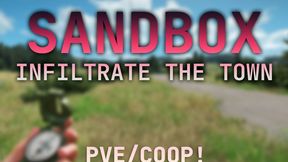
AI_Sandbox
Infiltrate the town and defeat the AI in this PVE COOP Sandbox experience! (GAME DOES NOT END)
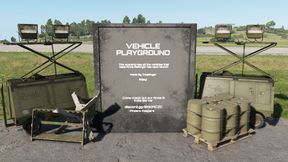
Vehicle Playground
A scenario where you can try out all the vehicles that are present in Arma Reforger. There is also a firing range where you can test out the vehicles and a playground for the kids! Officially Released! Updated 05/20/22 discord.gg/mC9VMqRCM2
NightOps - Everon 1985
- coop for 1-8 players - 3-5 missions tutorial-campaign - custom loadouts - dynamic task handling - vehicle & dynamic respawns - diverse and feature-rich coop-missions - sourcode public for tutorial purpose

Game Master FX
Adds explosions, fire, parachute flare and smoke effects to Game Master
Everon Life
Everon Life is a wip open source life roleplay framework developed by experienced Arma and DayZ veterans. If you want to contribute to this community effort, feel free to reach out and get involved.
Frequently Asked Questions
How do I install Always Sunny on my server?
To install Always Sunny, add its mod ID (61BA60AD1E51E059) to the "mods" array in your server's config.json file. The server will automatically download the mod from the Workshop when it starts.
Can I use Always Sunny on PS5 or Xbox?
Console compatibility depends on the mod. Check the Workshop page for Always Sunnyto see if it's marked as console-compatible. Some mods with custom scripts may only work on PC.
Does Always Sunny require other mods?
Check the mod's description above for any mentioned dependencies. Use our Mod Browser to search for and add any required dependencies to your config.